

Federation Gateway
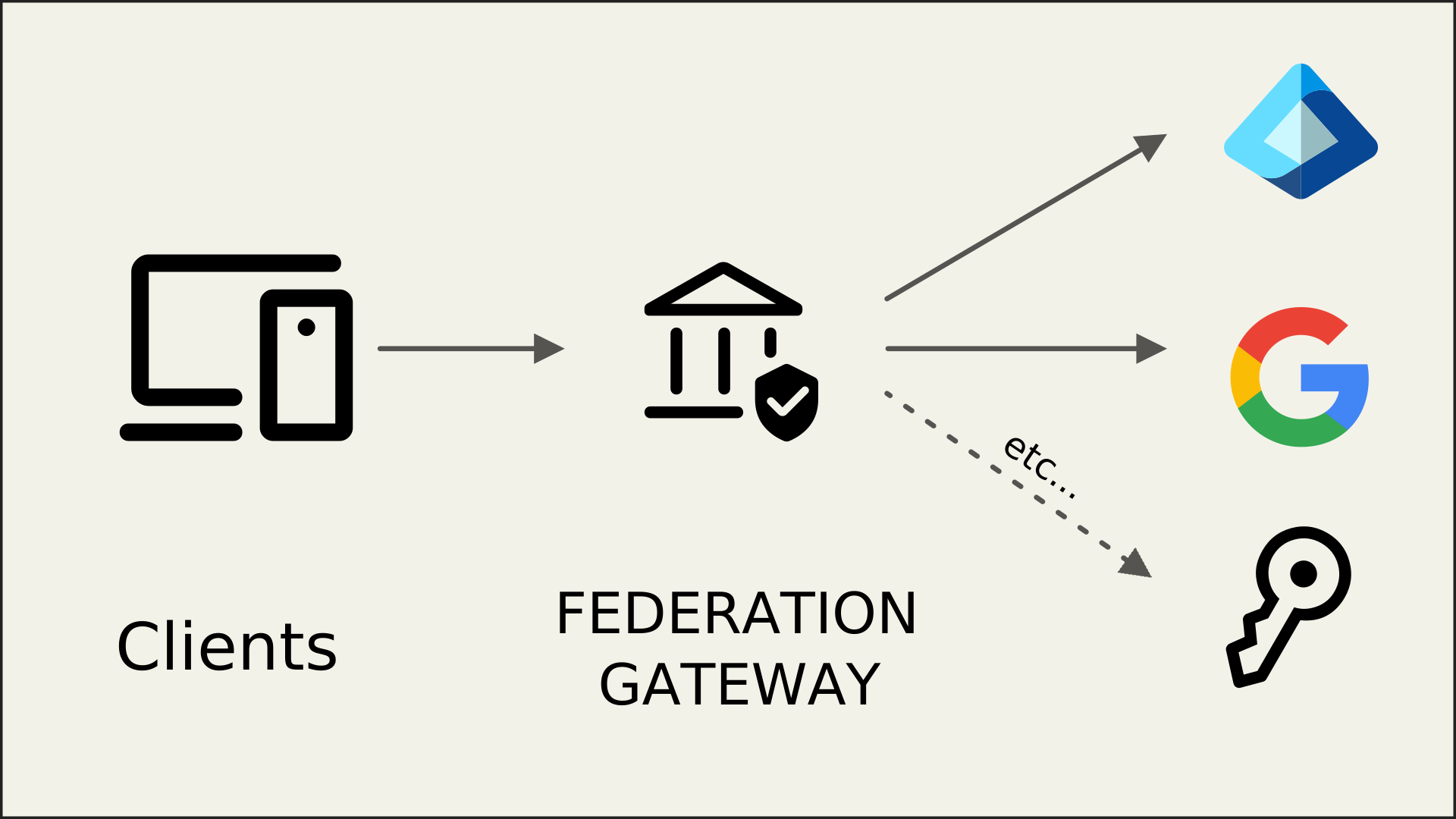
Federation means that your IdentityServer offers authentication methods that use external authentication providers. When you offer a number of these external authentication methods, often the term Federation Gateway is used to describe this architectural approach.
Benefits Of A Federation Gateway
Section titled “Benefits Of A Federation Gateway”A federation gateway architecture shields your client applications from the complexities of your authentication workflows and business requirements that go along with them.
Your clients only need to trust the gateway, and the gateway coordinates all the communication and trust relationships with the external providers. This might involve switching between different protocols, token types, claim types etc.
You may federate with other enterprise identity systems like Active Directory, Azure AD, or with commercial providers like Google, GitHub, or LinkedIn. Federation can bridge protocols, and use OpenID Connect (OIDC), OAuth 2, SAML, WS-Federation, or any other protocol.
Also, the gateway can make sure that all claims and identities that ultimately arrive at the client applications are trustworthy and in a format that the client expects.
Multiple Authentication Methods For Users
Section titled “Multiple Authentication Methods For Users”With a federation gateway, you can offer your users flexible sign-in options based on their context or preference:
- Consumer applications: Username/password or commercial providers like Google or Microsoft Account
- Hybrid applications: Username/password or commercial providers for customers, and Active Directory or Azure AD for employees
Integration Of On-premise Products With Customer Identity Systems
Section titled “Integration Of On-premise Products With Customer Identity Systems”When building on-premise products, you have to integrate with a multitude of customer authentication systems. Maintaining variations of your business software for each product you have to integrate with, makes your software hard to maintain.
With a federation gateway, you only need to adapt to these external systems at the gateway level, all of your business applications are shielded from the technical details.
Software-as-a-Service (SaaS)
Section titled “Software-as-a-Service (SaaS)”Federation is a common requirement in SaaS scenarios. It allows your customers’ users to access your applications with single sign-on, using their existing corporate credentials without explicitly creating new accounts in your identity system.
Support For External Authentication Methods
Section titled “Support For External Authentication Methods”IdentityServer leverages the ASP.NET Core authentication infrastructure for communicating with external providers. This means any authentication system supported by ASP.NET Core can be used with IdentityServer, including:
- Commercial providers like Google, GitHub, and LinkedIn (and many more)
- OpenID Connect providers
- SAML 2.0 systems
- WS-Federation systems
See the Integrating with External Providers section for more details.
Home Realm Discovery
Section titled “Home Realm Discovery”Home Realm Discovery (HRD) is the process of selecting the most appropriate authentication workflow for a user, especially when multiple authentication methods are available.
Since users are typically anonymous when they arrive at the federation gateway, you need some sort of hint to optimize the login workflow. Such hint can come in many forms:
- You present a list of available authentication methods to the user. This works for simpler scenarios, but probably not if you have a lot of choices or if this would reveal your customers’ authentication systems.
- You ask the user for an identifier, such as their email address. Based on that, you infer the external authentication method . This is a common technique for SaaS systems.
- The client application can give a hint to the gateway via a custom protocol parameter of IdentityServer’s built-in
support for the
idpparameter onacr_values. In some cases, the client already knows the appropriate authentication method. For example, when your customers access your software via a customer-specific URL (see here), you can present a subset of available authentication methods to the user, or even redirect to a single option. See Selecting An Identity Provider From The Client below for details. - You restrict the available authentication methods per client in the client configuration using the
IdentityProviderRestrictionsproperty (see here).
Every system has unique requirements. Always start by designing the desired user experience, then select and combine the appropriate HRD strategies to implement your required flow.
Selecting An Identity Provider From The Client (idp: acr_values)
Section titled “Selecting An Identity Provider From The Client (idp: acr_values)”A client application can skip the login page and redirect directly to an external provider by passing the idp
value on acr_values in the authorize request. This lets a client bypass home realm discovery (HRD) entirely when it
already knows which authentication method the user needs.
Client (Application) Side
Section titled “Client (Application) Side”If you use the ASP.NET Core OpenID Connect handler to start the authentication request, you can set the idp value
by handling the OnRedirectToIdentityProvider event:
options.Events.OnRedirectToIdentityProvider = ctx =>{ ctx.ProtocolMessage.AcrValues = "idp:Google"; return Task.CompletedTask;};To make this dynamic, start the challenge from your application with the desired idp stashed on
AuthenticationProperties, for example in a controller action or minimal API endpoint:
await HttpContext.ChallengeAsync(OpenIdConnectDefaults.AuthenticationScheme, new AuthenticationProperties{ RedirectUri = "/", Items = { ["idp"] = "Google" }});Then read that value back in OnRedirectToIdentityProvider and copy it onto the acr_values sent to IdentityServer:
options.Events.OnRedirectToIdentityProvider = ctx =>{ if (ctx.Properties.Items.TryGetValue("idp", out var idp) && !string.IsNullOrEmpty(idp)) { ctx.ProtocolMessage.AcrValues = $"idp:{idp}"; } return Task.CompletedTask;};If you construct a raw authorize URL yourself instead of using the OIDC handler, add the URL-encoded value directly,
for example &acr_values=idp%3AGoogle.
If you use Duende.BFF, the same OnRedirectToIdentityProvider event applies, since Duende.BFF uses
the standard ASP.NET Core OpenID Connect handler under the hood to talk to IdentityServer.
IdentityServer Login Page
Section titled “IdentityServer Login Page”On the login page, you can inspect the incoming authorization request to see whether an idp value was requested,
and if so, challenge that external scheme directly instead of showing the local login form:
var context = await _interaction.GetAuthorizationContextAsync(returnUrl);
if (context?.IdP != null    && context.IdP != IdentityServerConstants.LocalIdentityProvider    && await _schemeProvider.GetSchemeAsync(context.IdP) != null){    return Challenge(context.IdP, new AuthenticationProperties    {        RedirectUri = "/externallogin/callback",        Items =        {            { "scheme", context.IdP },            { "returnUrl", returnUrl }        }    });}
_interaction is an instance of
IIdentityServerInteractionService, context is
the AuthorizationRequest returned by GetAuthorizationContextAsync, and _schemeProvider is an
IAuthenticationSchemeProvider used to confirm the requested idp actually resolves to a registered scheme before
challenging it. The Quickstart UI’s Login page already implements this automatically: when context.IdP resolves to
a single external provider, the page marks itself as external-login-only and redirects straight to that scheme,
skipping the login form.
The following rules are enforced by IdentityServer:
- The authorize request validator parses
acr_valuesas a space-separated list, soidp:can be combined withtenant:, for exampleacr_values=idp:Google tenant:acme. The values are exposed asAuthorizationRequest.IdPandAuthorizationRequest.Tenant. - If the client has
IdentityProviderRestrictionsand the requested idp isn’t in the list, the validator logs a warning and removes the idp.context.IdPis then null, and no error is returned. - If the user already has a session from a different idp than the one requested, the authorize interaction response
generator shows the login page again (
IsLogin), so the existing session isn’t silently reused.
Your login page can implement some additional rules (included in the Quickstart UI):
- IdentityServer does not redirect to the external provider by itself. It only exposes the value through
IIdentityServerInteractionService.GetAuthorizationContextAsync. Your login page must readcontext.IdPand challenge that scheme, as in the snippet above. - IdentityServer does not check that the idp value matches a registered authentication scheme. The quickstart login
page resolves it with
IAuthenticationSchemeProvider.GetSchemeAsync(context.IdP). That also resolves dynamic provider schemes, because IdentityServer’s dynamic scheme provider falls back toIIdentityProviderStore. If the scheme isn’t found, the quickstart shows the regular login page. Custom login pages should do the same kind of check. local(IdentityServerConstants.LocalIdentityProvider) is a reserved value. The quickstart login page responds toidp:localby showing only the local login form and hiding external providers.